
 -90%
MT5
-90%
MT5
Best seller
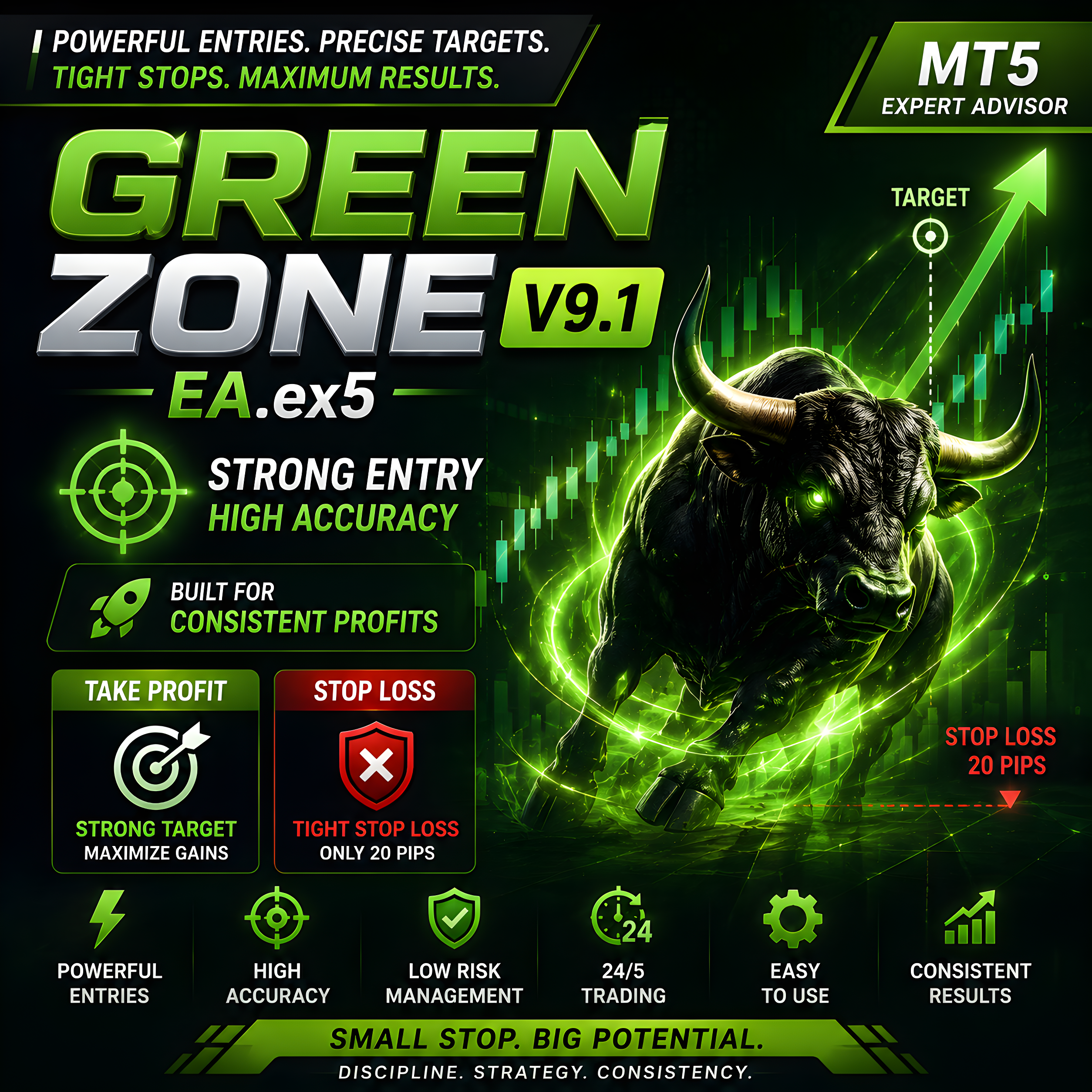
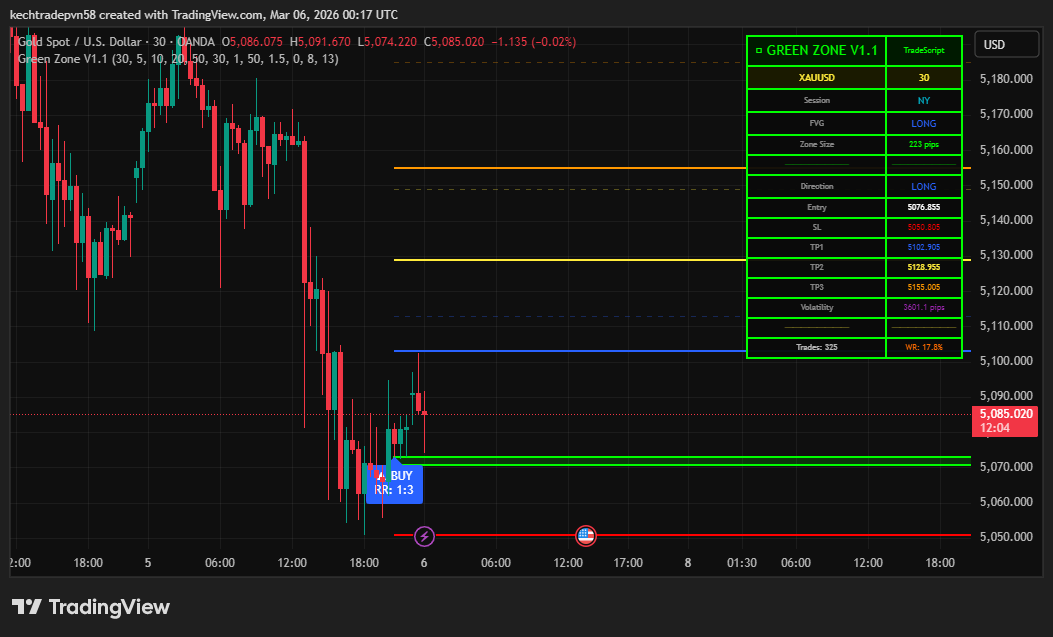
Green Zone V9 EA V1.0 MT5+ TradingView+Green Zone V9 indicator MT5
- FULLY AUTOMATED TRADING
- ADVANCED MARKET ZONE DETECTION
- STRONG ENTRY PRECISION
- TIGHT STOP LOSS (20 PIPS)
- SMART TAKE PROFIT TARGETS
- REAL-TIME MARKET MONITORING
- BUILT-IN RISK MANAGEMENT
- SPREAD & VOLATILITY FILTERS
- AUTO TRADE MANAGEMENT
- MT5 OPTIMIZED EXECUTION
- 24/5 CONTINUOUS OPERATION
- VPS FRIENDLY
- BACKTESTING SUPPORTED
- CUSTOMIZABLE SETTINGS
- BEGINNER FRIENDLY
Green Zone V9 EA V1.0 MT5 is a fully automated Expert Advisor developed for the MetaTrader 5 platform, designed to identify high-probability trading zones where price action, momentum, and technical signals align. The system automatically scans the market, detects favorable entry points, and executes trades with built-in risk management to deliver disciplined and efficient trading performance. It is ideal for traders seeking consistent automated trading with minimal manual intervention.
Login to checkout
Technical Specifications & Requirements
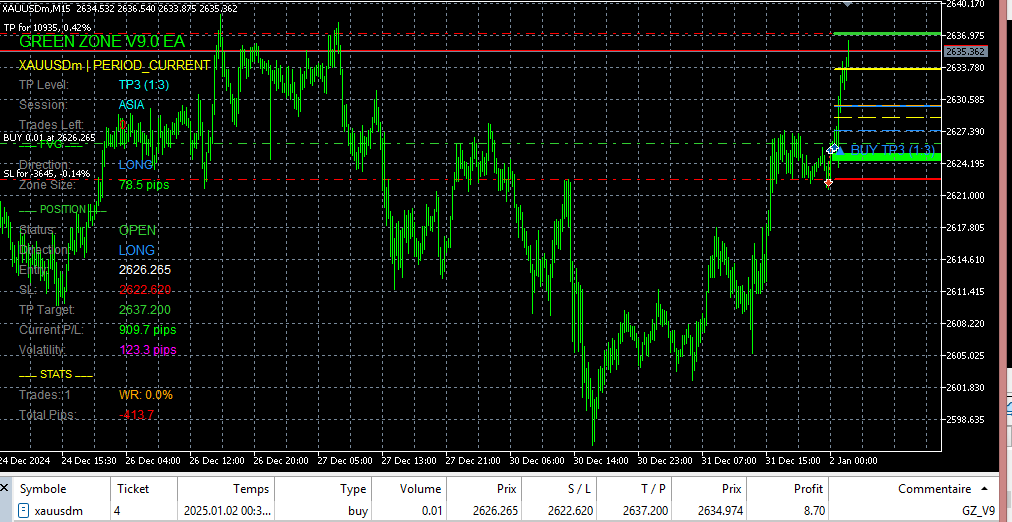
Once installed on MetaTrader 5, the EA continuously scans the market in real time, analyzing price action, volatility, trend direction, and momentum signals. When favorable conditions appear, the system instantly opens a buy or sell position based on its programmed strategy.
One of the key strengths of Green Zone V9 EA is its strong entry precision, designed to enter trades only when multiple confirmations align. This helps reduce false signals and improve trade quality.
The EA also includes a tight stop loss of only 20 pips, helping traders control risk efficiently while maintaining attractive reward potential through smart take-profit targeting.
Built-in risk management tools automatically control:
Position sizing
Stop Loss placement
Take Profit levels
Maximum trade exposure
For best performance, it is recommended to run Green Zone V9 EA V1.0 MT5 on a VPS, ensuring uninterrupted 24/5 operation and faster trade execution.
How to Get Started
Install MetaTrader 5
Copy Green Zone V9 EA V1.0.ex5 into the Experts folder
Attach the EA to your preferred chart
Enable AutoTrading
Adjust your preferred risk settings
Run on VPS for maximum performance
Who Is It For?
Beginner traders wanting automation
Busy traders with limited screen time
Advanced traders seeking strategy automation
Traders looking for disciplined, emotion-free execution
Best Practices
Start on a demo account first
Use proper risk management
Run on a VPS server
Monitor weekly performance
Optimize settings based on your broker conditions
Delivery and support
After payment is confirmed, you can download this product from your dashboard. The file is delivered instantly; no email delay. For MetaTrader EAs, copy the file to your MT4 or MT5 Data Folder and restart the platform. For TradingView, follow the instructions included with the file. If you have any issues, contact us and we will assist you.
Why buy from us
We offer secure payment, instant delivery, and clear documentation. All products are tested and compatible with current platform versions. You get lifetime access to your purchase and can re-download from your account anytime.
For installation guides and tips, visit our Blog. If you have questions about this product or need support, use the Contact page or email—we are here to help.
Customer reviews
Log in to leave a review after purchase.
- No reviews yet. Be the first to review after purchase.