 -96%
MT4
-96%
MT4
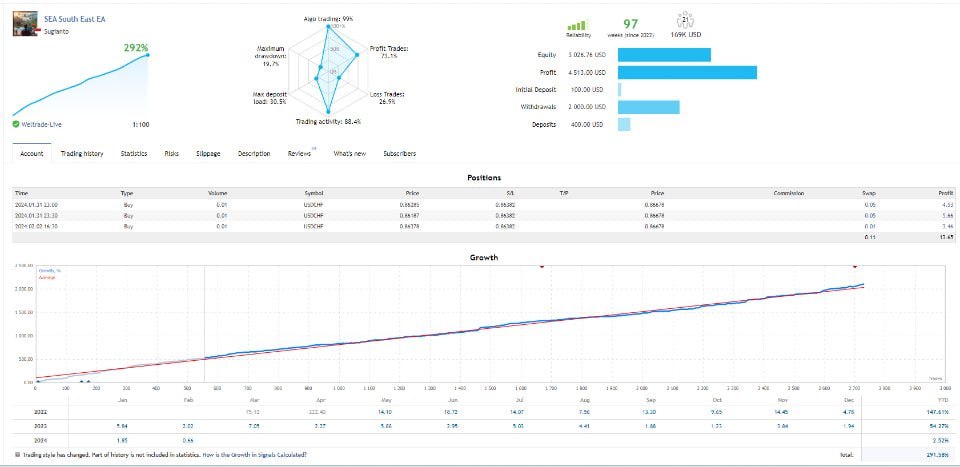
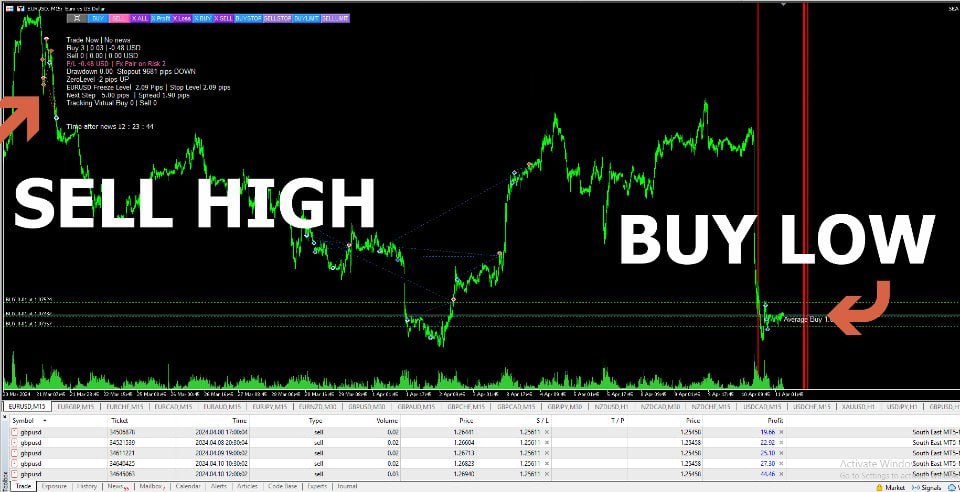
Expert SouthEast MT4 V4.3
- SouthEast EA is equipped with a comprehensive suite of features to optimize trading performance and manage risk effectively:
- Martingale with Controlled Risk: Accelerates recovery from losing trades using a mild martingale system without overexposing your account.
- Max Drawdown Limitation: Prevents opening new positions if a pre-set drawdown threshold is reached, protecting your capital.
- Grid Trading: Employs grid averaging to recover from adverse market movements.
- Virtual Stop Loss & Take Profit: Avoids stop-hunting while ensuring trades are executed according to strategy.
- Trailing Stop: Locks in profits dynamically as the market moves favorably.
- Partial Close for Drawdown Reduction: Closes positions that are far in loss to reduce margin usage.
- News Filter: Skips trading during high-volatility news events.
- Money Management: Supports both fixed and auto lot sizing based on account criteria.
- Virtual Trade & Pending Orders: Ensures precise entry positions for optimized performance.
- Smart Multi-Symbol Control: Manages multiple currency pairs efficiently to maximize profit potential.
- Holiday Control & Time Management: Restricts trading during uncertain periods or defined times.
- Account Protection: Cut loss by drawdown in money or percentage to safeguard the account.
- Manual Intervention Tools: Buttons for Buy, Sell, BuyStop, SellStop, BuyLimit, and SellLimit allow traders to manually adjust positions in critical situations.
- Every feature is designed to ensure SouthEast EA handles challenging market conditions while keeping risk under control.
SouthEast EA Version 4.30 is a sophisticated expert advisor designed to automate the strategies of manual trading with a focus on maximizing profits while securing your funds. Developed by Sugianto, this EA prioritizes risk management, making it ideal for traders with small to medium account sizes. By leveraging advanced grid strategies, smart multi-symbol control, and precise virtual trade analysis, SouthEast adapts to different market conditions while minimizing potential losses. It is suitable for both beginners and experienced traders, offering simple setup through pre-configured set files for 20 major and minor Forex pairs. The EA comes with personal guidance from the developer, ensuring users understand risk management, daily routines, and advanced trading techniques for consistent results.
Login to checkout
Technical Specifications & Requirements
Upload Set File: Select the set file corresponding to your preferred currency pair and risk level.
VPS (Optional): For uninterrupted operation, connect MT4 to a VPS with at least 1 GB RAM.
Activate EA: Attach SouthEast EA to the chart and ensure automated trading is enabled.
Consult Developer: Leave a comment on the product page for personalized support or setup instructions.
Monitor & Optimize: Use daily updates, news filters, and partial close features to manage risk while maximizing profit.
Delivery and support
After payment is confirmed, you can download this product from your dashboard. The file is delivered instantly; no email delay. For MetaTrader EAs, copy the file to your MT4 or MT5 Data Folder and restart the platform. For TradingView, follow the instructions included with the file. If you have any issues, contact us and we will assist you.
Why buy from us
We offer secure payment, instant delivery, and clear documentation. All products are tested and compatible with current platform versions. You get lifetime access to your purchase and can re-download from your account anytime.
For installation guides and tips, visit our Blog. If you have questions about this product or need support, use the Contact page or email—we are here to help.
Customer reviews
Log in to leave a review after purchase.
- No reviews yet. Be the first to review after purchase.