 -95%
MT4
-95%
MT4
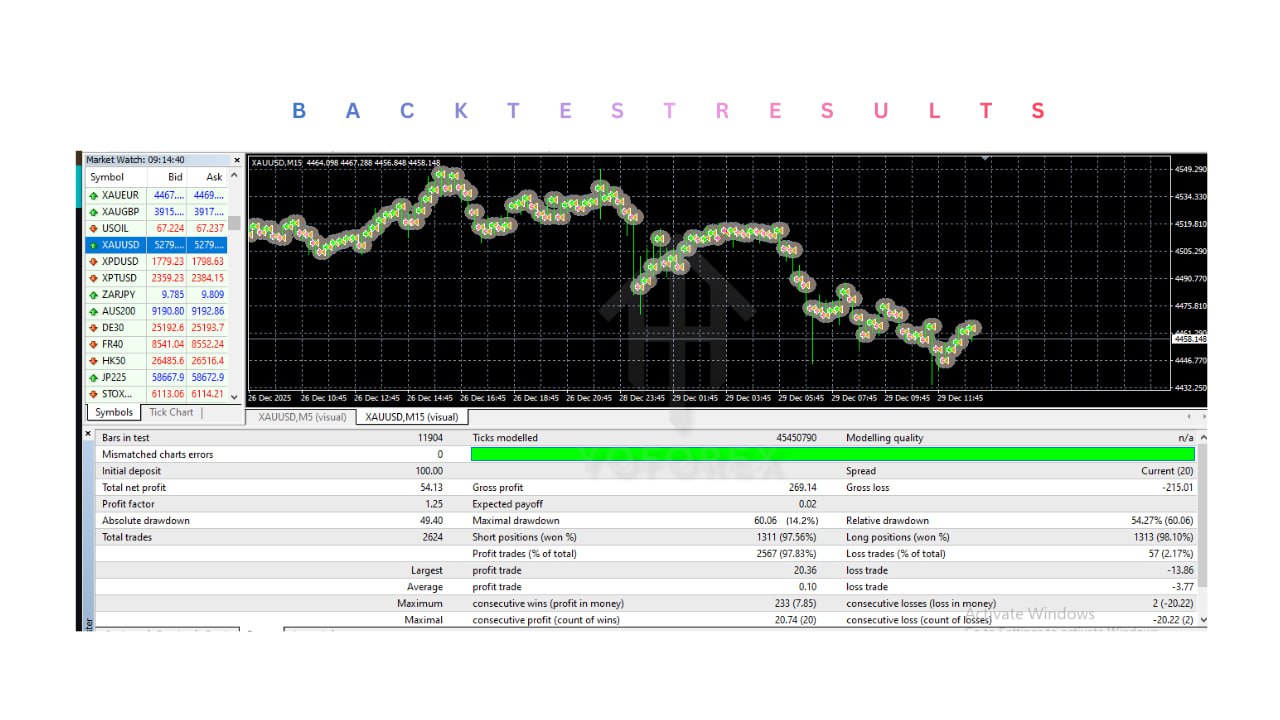
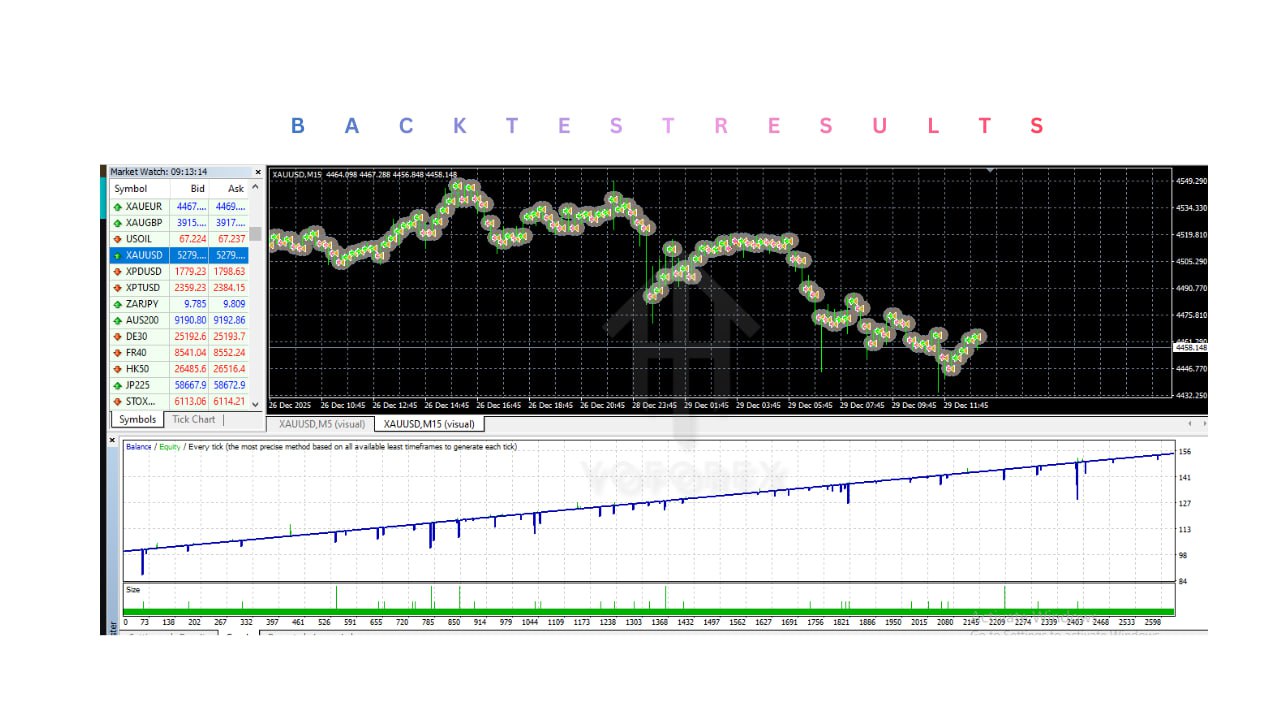
Harith EA V2.0 MT4
- 1. EURUSD Optimized Scalping Strategy
- Harith EA MT4 is specifically optimized for EURUSD trading on the M1 timeframe, focusing on short-term price movements and micro-trend opportunities.
- 2. Fully Automated Trading
- The EA automatically scans the market, identifies trade opportunities, opens positions, and manages trades without requiring manual intervention.
- 3. Dynamic Pip-Based Entry Logic
- The system detects small momentum shifts using dynamic pip-movement analysis, allowing it to capture quick scalping opportunities.
- 4. RSI-Based Confirmation Filter
- Harith EA integrates an RSI zone filter to confirm potential reversals or continuation signals, helping reduce false trade entries.
- 5. Smart Risk Scaling Logic
- The EA includes adaptive risk management logic that can scale trade sizes strategically while maintaining controlled exposure.
- 6. Spread Protection System
- A built-in spread filter prevents the EA from opening trades when broker spreads become too high, helping improve trade execution quality.
- 7. Volatility Detection Filter
- The system analyzes market volatility and avoids trading during unstable or abnormal market conditions.
- 8. Session-Based Trading Control
- Harith EA operates within selected trading sessions to target periods of higher liquidity and stronger market activity.
- 9. Trade Stacking with Controlled Recovery
- The EA can manage multiple positions strategically when necessary, while maintaining structured recovery logic to control risk.
- 10. Easy Setup and Operation
- The EA is designed to be simple to install and configure, making it accessible for both beginner and experienced traders.
- 11. VPS Compatible
- Harith EA MT4 works efficiently on Forex VPS servers, allowing the system to run continuously with low latency and stable execution.
Harith EA MT4 is an intelligent automated trading Expert Advisor designed for the MetaTrader 4 (MT4) platform and optimized specifically for trading EURUSD on the M1 (1-minute) timeframe. The system focuses on high-precision scalping strategies that aim to capture small but frequent price movements within short time intervals. The EA combines a hybrid trading logic that integrates dynamic pip-based entries, RSI-based confirmation filters, and volatility detection mechanisms. This approach allows the system to identify micro-trend opportunities while avoiding weak or unstable market setups. By using structured algorithmic rules instead of emotional decision-making, the EA aims to execute trades quickly and efficiently in fast-moving market conditions. Harith EA MT4 continuously monitors the market in real time, analyzing price momentum, volatility levels, and technical indicators before opening any trade. When specific conditions are met, the EA automatically executes buy or sell orders while managing risk through predefined stop-loss, take-profit, and trade management logic. Unlike aggressive systems that rely purely on high-risk strategies, Harith EA MT4 is designed to focus on stable account growth through controlled risk management and strategic trade filtering. The system also integrates spread protection and session-based trading filters to improve entry quality and reduce unnecessary exposure during unfavorable market periods. Once installed and properly configured, Harith EA MT4 can operate automatically during trading sessions, scanning the EURUSD market and executing scalping trades according to its algorithmic strategy.
Login to checkout
Technical Specifications & Requirements
Download and install the MetaTrader 4 (MT4) trading platform from your preferred broker.
2. Add the EA to MT4
Copy the Harith EA MT4 file into the following folder:
MT4 → File → Open Data Folder → MQL4 → Experts
Restart the platform after copying the file.
3. Open the Trading Chart
Open a chart for EURUSD and set the timeframe to M1 (1-minute).
4. Attach the EA to the Chart
From the Navigator panel, drag Harith EA MT4 onto the chart.
5. Configure Settings
Adjust the trading parameters such as:
Lot size
Risk level
Trading session filters
Maximum number of trades
6. Enable AutoTrading
Activate the AutoTrading button in MT4 so the EA can execute trades automatically.
7. Use a VPS (Recommended)
For stable performance and uninterrupted trading, it is recommended to run the EA on a Forex VPS server.
Delivery and support
After payment is confirmed, you can download this product from your dashboard. The file is delivered instantly; no email delay. For MetaTrader EAs, copy the file to your MT4 or MT5 Data Folder and restart the platform. For TradingView, follow the instructions included with the file. If you have any issues, contact us and we will assist you.
Why buy from us
We offer secure payment, instant delivery, and clear documentation. All products are tested and compatible with current platform versions. You get lifetime access to your purchase and can re-download from your account anytime.
For installation guides and tips, visit our Blog. If you have questions about this product or need support, use the Contact page or email—we are here to help.
Customer reviews
Log in to leave a review after purchase.
- No reviews yet. Be the first to review after purchase.