
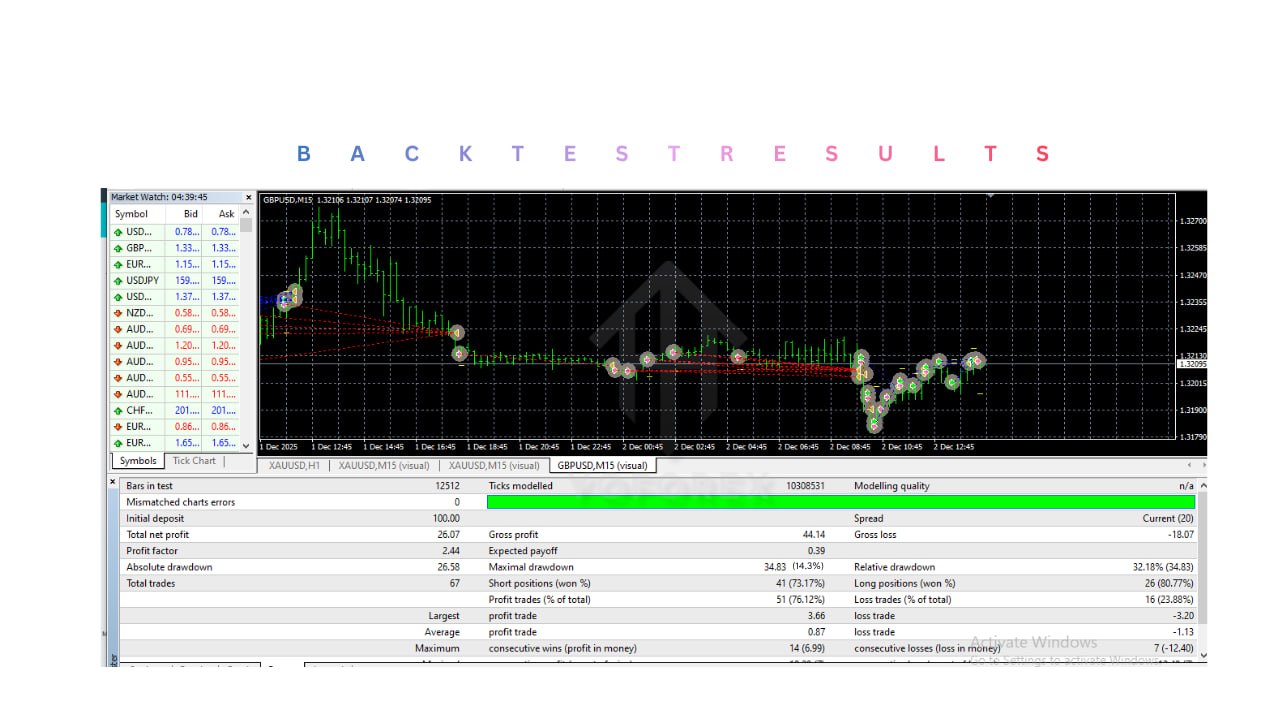
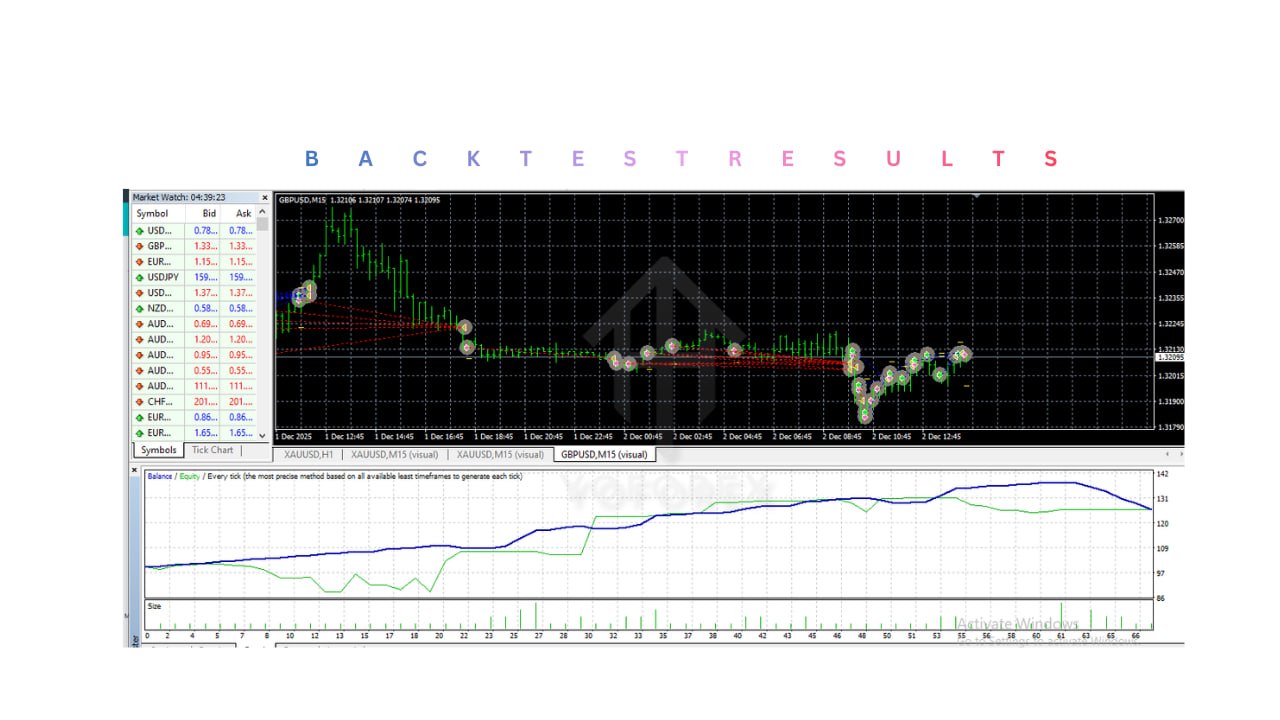
HERO GOLD SCALP EA V12.0 MT4 -96% MT4
Performance
Performance

HERO GOLD SCALP EA V12.0 MT4

$500 18.00 USDT
  • Scalping Strategy: Focuses on quick trades with small profits.
  • Timeframes: M1 & M5 (very fast trading).
  • Currency Pair: XAUUSD (Gold only).
  • Minimum Deposit: $500 recommended.
  • Fully Automated: Opens and closes trades automatically.
  • Risk Management: Includes Stop Loss, Take Profit, and Trailing Stop.
  • High Trade Frequency: Executes many trades daily during high volatility.

Hero Gold Scalp EA v12.0 is a fully automated trading robot designed specifically for trading Gold (XAUUSD) on the MetaTrader 4 platform. It uses a scalping strategy to capture small, fast price movements on low timeframes like M1 and M5.

Login to checkout

Description

Technical Specifications & Requirements

Platform: MetaTrader 4 (MT4) EA Type: Scalping Expert Advisor Trading Asset: XAUUSD (Gold) Timeframes: M1, M5 Minimum Deposit: $500 (recommended) Lot Size: Auto or Manual (based on balance) Leverage: 1:100 or higher recommended Execution Type: Fully Automated Strategy: Scalping (short-term trades) Indicators Used: Moving Averages, RSI, Bollinger Bands Risk Management: Stop Loss (SL) Take Profit (TP) Trailing Stop Trade Frequency: High (multiple trades daily) Broker Type: ECN / Low Spread recommended VPS Required: Yes (for stable 24/7 performance) Installation Type: No DLL / EX4 file
To get started, first install MetaTrader 4 from your broker and log in to your trading account. After that, open the platform and go to File → Open Data Folder, then navigate to MQL4 → Experts and paste the EA file (.ex4) there. Restart the platform so the EA appears in the Navigator section. Next, open a chart for XAUUSD (Gold), choose the appropriate timeframe such as M1 or M5 for scalping, and drag the EA onto the chart. Make sure AutoTrading is enabled and allow live trading (and DLL imports if required). Then configure the settings by selecting a small lot size like 0.01, adjusting the risk level, and loading any provided set files if available. It is highly recommended to run the EA on a VPS to ensure it operates 24/7 without interruptions and with faster execution. Before using it on a real account, test it on a demo account for at least one to two weeks to evaluate performance, drawdown, and behavior during market news. Once you are confident, you can switch to a live account, but start with small capital and increase gradually while continuously monitoring performance.

Delivery and support

After payment is confirmed, you can download this product from your dashboard. The file is delivered instantly; no email delay. For MetaTrader EAs, copy the file to your MT4 or MT5 Data Folder and restart the platform. For TradingView, follow the instructions included with the file. If you have any issues, contact us and we will assist you.

Why buy from us

We offer secure payment, instant delivery, and clear documentation. All products are tested and compatible with current platform versions. You get lifetime access to your purchase and can re-download from your account anytime.

For installation guides and tips, visit our Blog. If you have questions about this product or need support, use the Contact page or WhatsApp—we are here to help.

Customer reviews

Log in to leave a review after purchase.

  • No reviews yet. Be the first to review after purchase.