 -95%
MT4
-95%
MT4
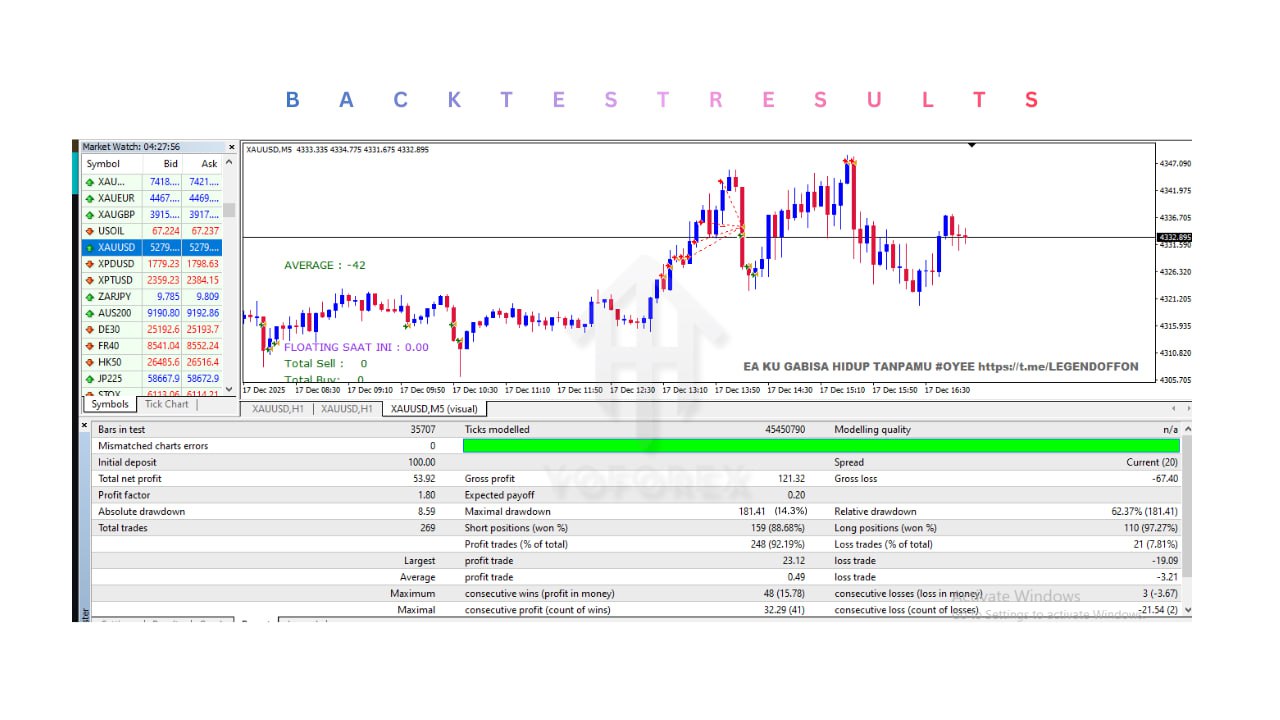
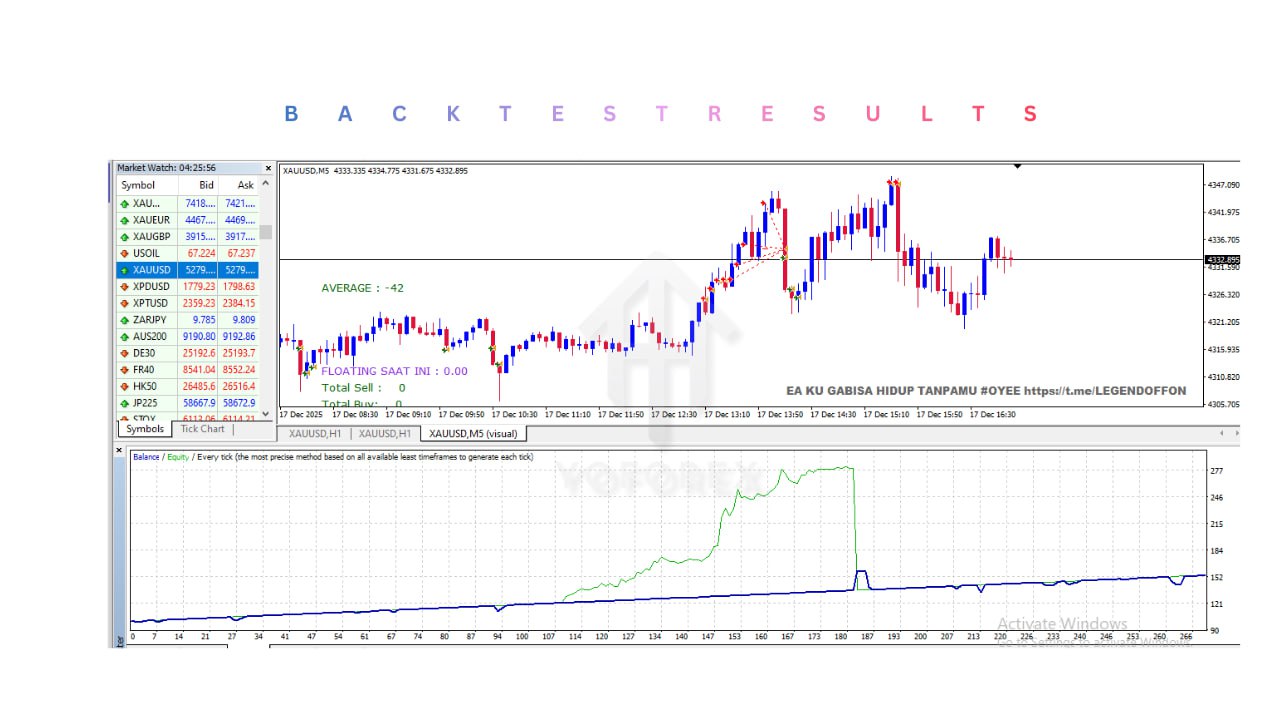
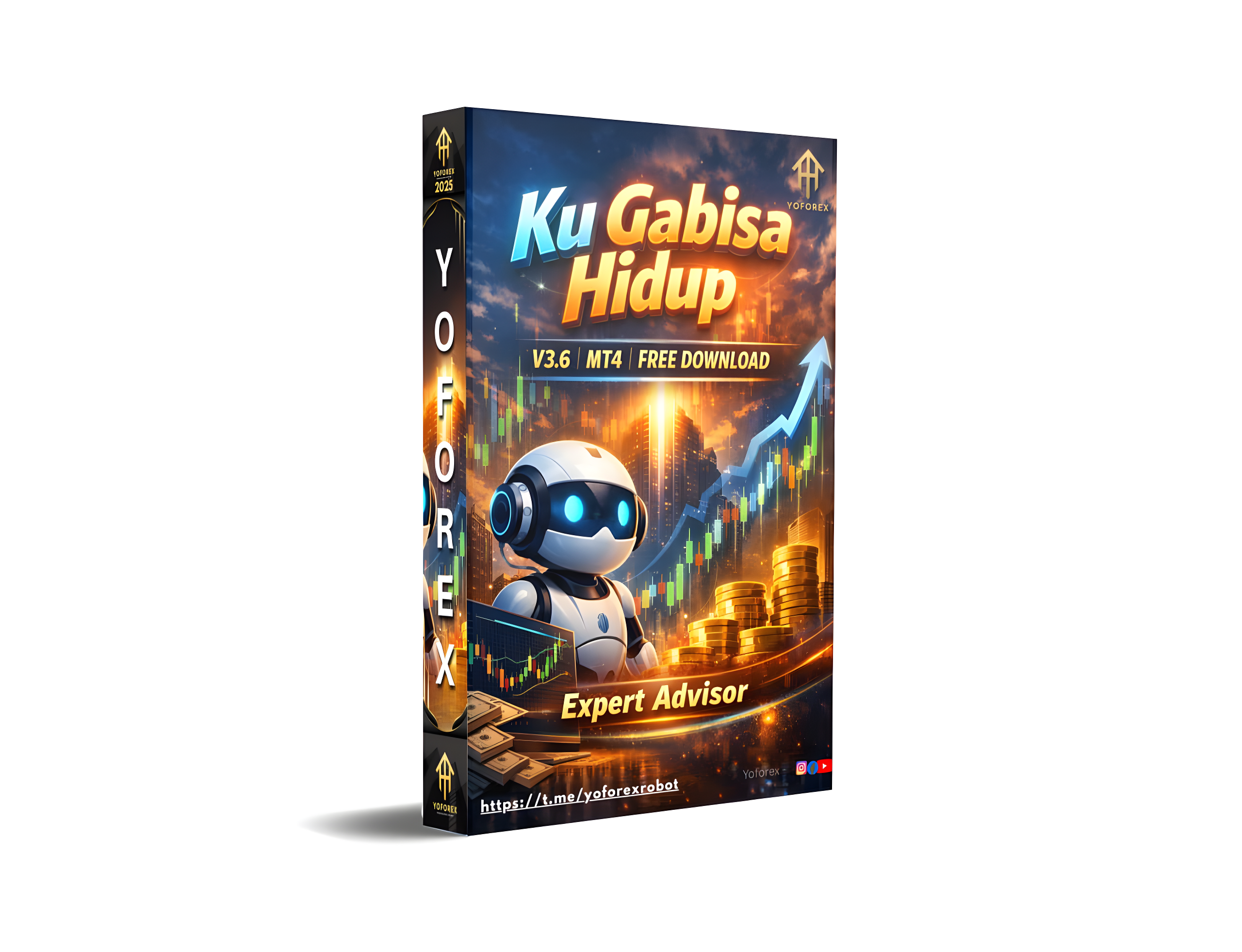
Ku Gabisa Hidup EA V3.6 MT4
- 1. Multi-Pair Trading Support
- The EA is optimized to trade multiple instruments including XAUUSD, EURUSD, and GBPUSD, allowing traders to diversify their automated trading strategies.
- 2. Fully Automated Trading System
- Once attached to a chart and AutoTrading is enabled, the EA performs all trading operations automatically including market analysis, trade execution, and trade management.
- 3. Adaptive Trading Algorithm
- The EA uses an adaptive algorithm that adjusts to changing market conditions and attempts to identify profitable trading opportunities in both trending and ranging markets.
- 4. Multiple Indicator Analysis
- The trading strategy integrates several technical indicators, including:
- Bollinger Bands
- Moving Averages
- Stochastic Oscillator
- These indicators help identify potential entry points and confirm market trends.
- 5. Scalping and Trend-Following Strategy
- The EA combines short-term scalping techniques with longer-term trend-following logic, enabling it to capture quick market movements as well as sustained trends.
- 6. Automatic Risk Management
- The EA includes built-in risk control features such as:
- Automatic Stop Loss
- Take Profit levels
- Trailing Stop functionality
- These tools help protect the trading account from excessive losses.
- 7. Continuous Market Monitoring
- The system operates continuously while the market is open, scanning for new trading opportunities and managing existing trades automatically.
- 8. Customizable Trading Parameters
- Traders can adjust several settings to suit their trading style, including:
- Lot size
- Risk level
- Trading timeframe
- Stop loss and take profit values
- 9. Beginner-Friendly Setup
- The EA is designed with a simple setup process, making it accessible for both beginners and experienced traders.
- 10. VPS Compatible
- The EA can run on a Forex VPS server, allowing continuous trading with stable execution and reduced latency.
EA Ku Gabisa Hidup Tanpamu V3.6: Unlock Consistent Profits in XAUUSD Trading The EA Ku Gabisa Hidup Tanpamu V3.6 is a state-of-the-art trading robot designed for those who want to automate their trading strategies and achieve consistent results. This Expert Advisor (EA) is specifically optimized for trading XAUUSD, EURUSD, GBPUSD making it an ideal choice for traders looking to capitalize on the volatility of the gold market. With its sophisticated algorithms and advanced risk management features, this EA is built to handle different market conditions, ensuring that your trading remains profitable even during times of uncertainty. Whether you are a seasoned trader or new to the world of trading, EA Ku Gabisa Hidup Tanpamu V3.6 offers a reliable solution to automate your trades and grow your account with ease. Recommended Settings Minimum Deposit: $100 To ensure smooth operation and effective capital management, start with a minimum deposit of $100. Timeframes: H1: Ideal for those who prefer a slower, more deliberate trading approach. M15: Perfect for traders looking for a balanced mix of short-term and mid-term trading opportunities. M1: Best suited for traders who enjoy fast-paced, high-frequency trading with quick entry and exit points. Currency Pair: XAUUSD, EURUSD, GBPUSD Key Features Adaptive Trading Algorithm: The EA’s core algorithm adjusts to market changes, ensuring that your trades are executed at the most opportune times. Easy-to-Use Interface: Designed with the user in mind, the interface is straightforward, allowing even beginners to set up and run the EA with minimal hassle. Highly Customizable: Tailor the EA to your specific trading preferences, adjusting parameters like lot sizes, risk levels, and trading hours. Continuous Market Monitoring: The EA stays active 24/7, scanning the markets for profitable trades and executing them on your behalf. Comprehensive Risk Management: Built-in tools for setting stop-loss and take-profit levels help protect your account from significant losses while maximizing your potential gains. Strategy Market Analysis: The EA uses multiple technical indicators such as Bollinger Bands, Moving Averages, and Stochastic Oscillators to analyze the current market trend. It identifies potential trading opportunities based on these indicators and the overall market sentiment. Entry Points: Once the EA has determined the trend, it waits for a confirmed signal, such as a price breakout or a significant pullback, to enter the trade. The entry strategy is designed to ensure that the EA only takes trades with a high probability of success. Scalping and Trend-Following: The EA is equipped to execute both short-term scalping trades and longer-term trend-following positions. This dual strategy allows it to profit from quick market movements as well as sustained trends. Risk Management: The EA implements strict risk management protocols by setting stop-loss orders just below support levels (for long trades) or above resistance levels (for short trades). It also uses a trailing stop to lock in profits as the trade moves in your favor. Trade Exit: The EA closes trades when the take-profit level is reached or when a reversal signal is detected, whichever comes first. This ensures that profits are secured while minimizing potential losses. Disclaimer: Trading involves risks, and past performance is not indicative of future results. Always conduct thorough research and seek professional advice before trading. What’s in the package? Experts: Ku Gabisa Hidup Tanpamu v3.6.ex4 =========================================================== You can get it free if you signup Exness with our referral link https://one.exnesstrack.net/intl/en/a/s020wlktrj MORE ROBOTS and MANUAL TRADING SYSTEM UNLIMITED VERSION Telegram Channel : https://t.me/TheTradeLovers Telegram Contact : https://t.me/TheTradeLover Whatsapp: Click Here Email : hello@thetradelovers.com Whatsapp Channel: https://whatsapp.com/channel/0029VaLNS5gJpe8kk7rZCa13 Instant Download Your files will be available to download once payment is confirmed. Instant download items don’t accept returns, exchanges or cancellations. Please contact the seller about any problems with your order. Our Payment Options:👇 1) Bitcoin Wallet: 19osRLGdcrdKGq8HseVimFv4sPtWiVXht 2) USDT(Tether) Wallet: (ERC20) 0xd75d6711d9ddbc6e12910bdcecf9b1820ded33c0 3). USDT(Tether) Wallet: (TRC20) TUXqFGZd7dGzrbkB8SFh3dduUPT9wtoxWL 3) TRX(Tron) Wallet: (TRC20) TUXqFGZd7dGzrbkB8SFh3dduUPT9wtoxWL 4) XRP(Ripple): XRP Ripple rNxp4h8apvRis6mJf9Sh8C6iRxfrDWN7AV Memo 382047608 And another crypto wallet: on request 5) Paypal: On Request 6) Skrill: On Request 7) Neteller: On Request 8) You can pay with also Indian Payment Methods Like BHIM, Paytm, Google Pay, PhonePe or any Banking UPI app On Buyer Request. Send payment screenshot After Payment. After confirmation we will provide product within 90 minutes. If you want any proofs of Indicator or have any questions then feel free to message Thank You ❤️ Disclaimer: The EAs sold on our channel are not created by us. We are only resellers of these EAs and the EA performance cannot be guaranteed or predicted. Past performance is no guarantee of future results. We seek the EA on an ‘as is’ basis and only the version mentioned is being sold. All future updates will be on a best effort basis and could involve further fees to be paid owing to acquisition and unlocking costs. EA updates are thus not automatic and not guaranteed. No Refund Instant download items don’t accept returns, exchanges or cancellations. Please read Refund Policy carefully or contact the seller about any problems with your order.
Login to checkout
Technical Specifications & Requirements
Download and install the MetaTrader 4 (MT4) platform from your preferred broker.
2. Add the EA File
Copy the EA file into the following folder:
MT4 → File → Open Data Folder → MQL4 → Experts
Restart the MT4 platform after adding the file.
3. Open the Trading Chart
Open a chart for one of the supported pairs:
XAUUSD
EURUSD
GBPUSD
Select a recommended timeframe such as M1, M15, or H1.
4. Attach the EA
From the Navigator panel, drag EA Ku Gabisa Hidup Tanpamu V3.6 onto the chart.
5. Configure Settings
Adjust parameters such as:
Lot size
Risk level
Stop loss and take profit
Trading timeframe
6. Enable AutoTrading
Activate the AutoTrading button on the MT4 toolbar to allow the EA to execute trades automatically.
7. Run on a VPS (Recommended)
Using a VPS server helps keep the EA running continuously and ensures stable trade execution
Delivery and support
After payment is confirmed, you can download this product from your dashboard. The file is delivered instantly; no email delay. For MetaTrader EAs, copy the file to your MT4 or MT5 Data Folder and restart the platform. For TradingView, follow the instructions included with the file. If you have any issues, contact us and we will assist you.
Why buy from us
We offer secure payment, instant delivery, and clear documentation. All products are tested and compatible with current platform versions. You get lifetime access to your purchase and can re-download from your account anytime.
For installation guides and tips, visit our Blog. If you have questions about this product or need support, use the Contact page or email—we are here to help.
Customer reviews
Log in to leave a review after purchase.
- No reviews yet. Be the first to review after purchase.