 -99%
MT4
-99%
MT4
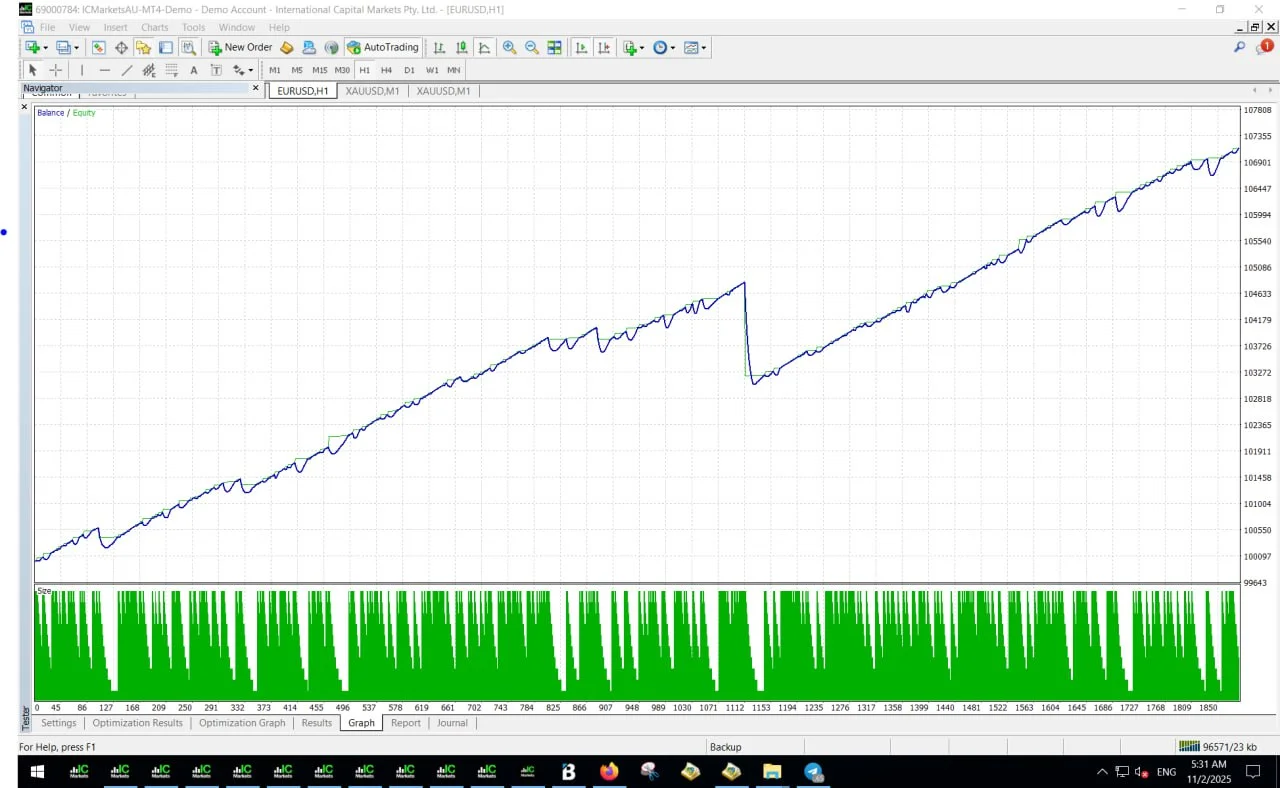
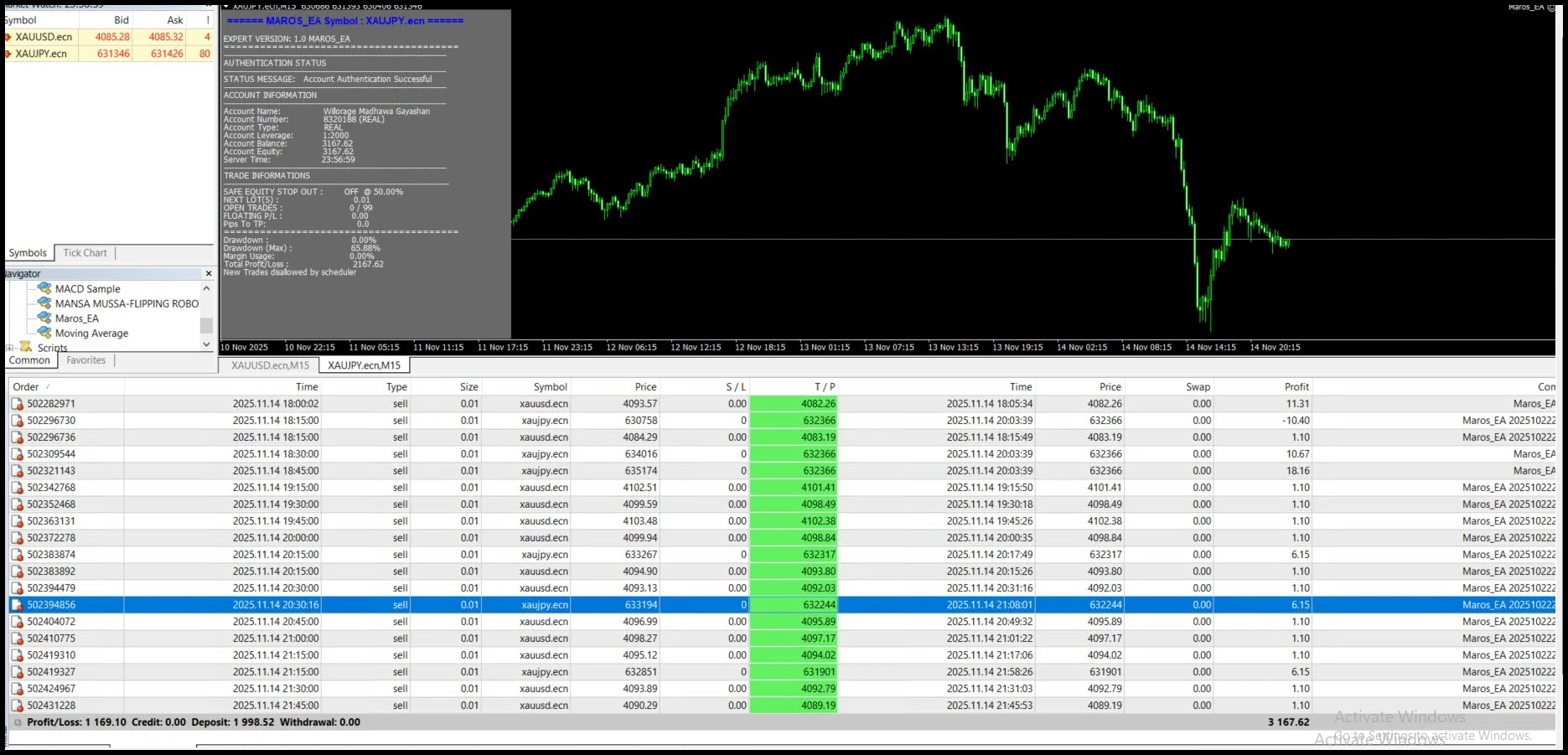
Maros EA V1.0 MT4
- Fully Automated Trading
- Maros EA can automatically analyze the market and execute trades without manual intervention.
- Adaptive Trading Strategies
- The EA uses flexible trading logic designed to adjust to different market conditions, including trending and ranging environments.
- Built-in Risk Management
- Traders can control their risk through adjustable parameters such as:
- Stop Loss
- Take Profit
- Lot size
- Risk percentage
- User-Friendly Interface
- The EA is easy to install and configure, making it accessible for traders at all experience levels.
- Real-Time Market Analysis
- Maros EA continuously monitors price movements and market conditions to identify potential trading opportunities.
- Performance Monitoring
- Users can track the EA’s trading performance through MT4 reports and statistics.
- 24/7 Trading Capability
- When running on a VPS server, the EA can operate continuously without interruptions.
- Customizable Settings
- Traders can adjust important parameters such as:
- Trading pairs
- Lot sizing
- Risk management rules
- Trade frequency
Maros EA v1.0 MT4 is a powerful automated trading robot developed for the MetaTrader 4 (MT4) platform. It is designed to analyze market conditions using advanced algorithmic logic and execute trades automatically in real time. This Expert Advisor operates continuously, allowing traders to benefit from market opportunities even when they are not actively monitoring the charts. By combining automated execution with built-in risk management tools, the EA helps traders maintain discipline and consistency in their trading strategies. Maros EA v1.0 is suitable for both beginner and experienced traders. Beginners can rely on its automation to participate in the forex market without needing constant manual decisions, while experienced traders can take advantage of its configurable parameters to optimize performance according to their trading style. The system is built to adapt to changing market environments by adjusting its trading logic based on current market behavior. This adaptability helps improve trading efficiency while reducing emotional decision-making, one of the most common challenges in manual trading.
Login to checkout
Technical Specifications & Requirements
Download and install the MetaTrader 4 (MT4) platform from your broker.
2. Add the EA to MT4
Open MT4 and navigate to:
File → Open Data Folder → MQL4 → Experts
Copy Maros EA v1.0 MT4.ex4 into the Experts folder.
3. Restart MT4
Restart the MetaTrader 4 platform so the EA appears in the Navigator panel.
4. Attach the EA to a Chart
Open a chart and drag Maros EA v1.0 from the Navigator panel onto the chart.
5. Load Presets
Load one of the provided preset files to apply optimized trading settings.
6. Enable AutoTrading
Click the AutoTrading button in MT4 so the EA can execute trades automatically.
Delivery and support
After payment is confirmed, you can download this product from your dashboard. The file is delivered instantly; no email delay. For MetaTrader EAs, copy the file to your MT4 or MT5 Data Folder and restart the platform. For TradingView, follow the instructions included with the file. If you have any issues, contact us and we will assist you.
Why buy from us
We offer secure payment, instant delivery, and clear documentation. All products are tested and compatible with current platform versions. You get lifetime access to your purchase and can re-download from your account anytime.
For installation guides and tips, visit our Blog. If you have questions about this product or need support, use the Contact page or email—we are here to help.
Customer reviews
Log in to leave a review after purchase.
- No reviews yet. Be the first to review after purchase.