 -96%
MT4
-96%
MT4
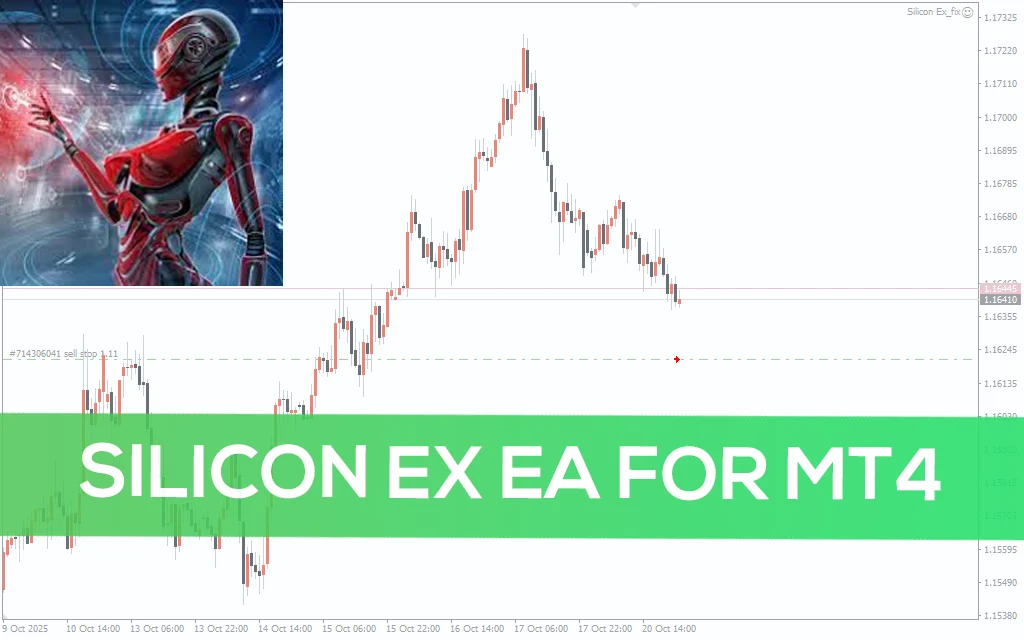
Silicon Ex EA V2.3 MT4
- Silicon Ex EA MT4 V2.3 is engineered with cutting-edge automation and advanced trading logic. Its robust design ensures traders can confidently operate in any market scenario.
- Core Features Include:
- 📊 Real-Time Market Analysis: Continuously scans price movements, highs/lows, volumes, and spreads to detect trends and market conditions across all timeframes.
- 📈 Algorithmic Signal Generation: Generates trade signals using proprietary logic based on price action, trend momentum, and market structure, filtering out false signals.
- 🛡️ Smart Risk Management: Adjustable risk settings, dynamic lot sizing, equity protection, stop-loss and take-profit optimization for both conservative and aggressive strategies.
- 🚀 Adaptive Trailing Stop Mechanism: Automatically tightens stop-loss levels as trades move favorably, securing profits while limiting risk exposure.
- ⚙️ Multi-Layered Defense System: Includes spread filters, slippage guards, volatility protection, and market condition checks to reduce losses during extreme volatility or news events.
- 📌 Strategy Customization: Full control over trade frequency, signal sensitivity, risk levels, trade hours, and other parameters for advanced customization.
- 🎯 Multi-Pair Trading: Can manage multiple currency pairs simultaneously, increasing opportunities for diversification and growth.
- ⏱️ 24/5 Continuous Operation: Works non-stop during all Forex trading sessions; can be installed on VPS for uninterrupted performance.
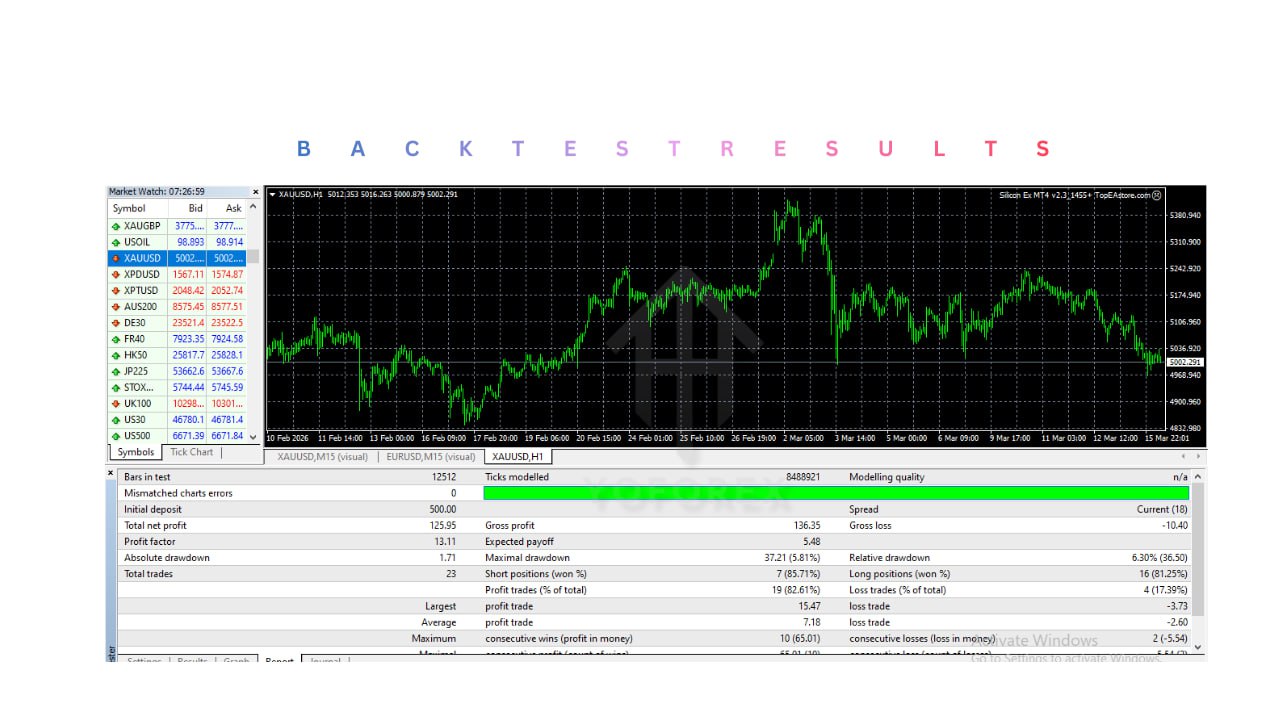
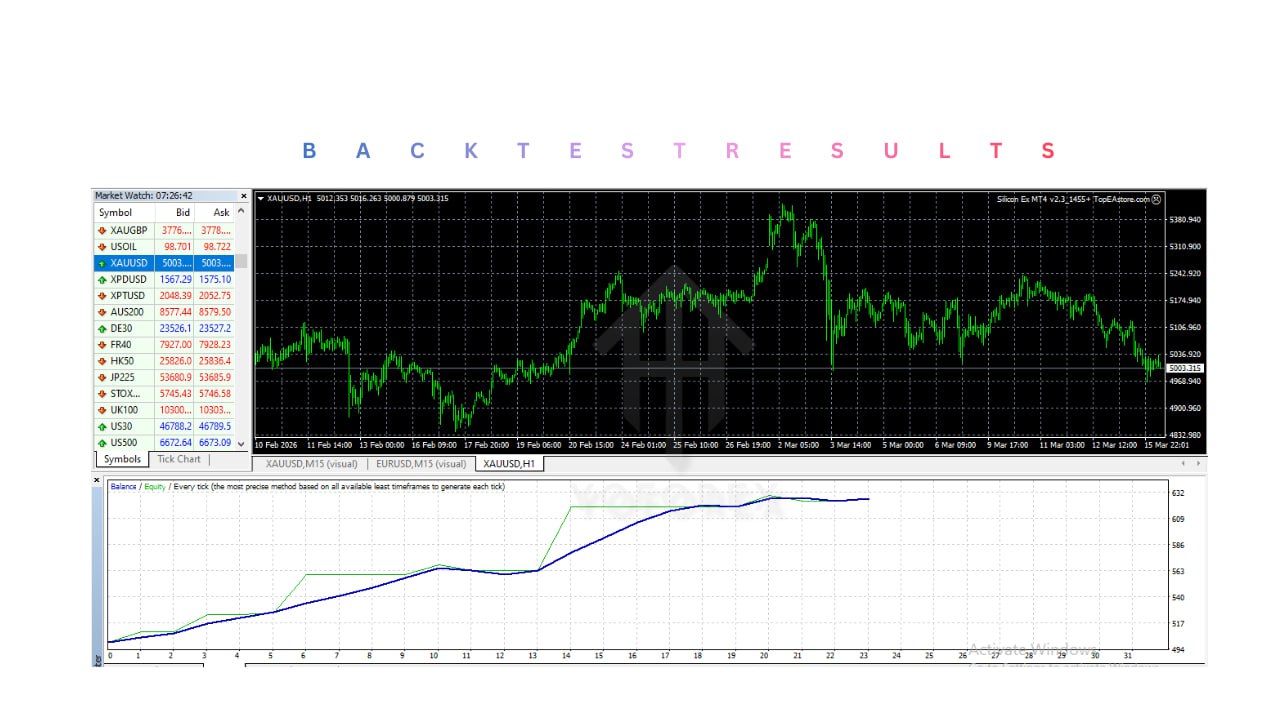
- 💻 Backtesting & Optimization: Compatible with MT4 Strategy Tester to test and optimize settings for better long-term performance.
- 🌟 Beginner-Friendly: Easy to install, configure, and operate; no coding skills required.
- 💹 Emotion-Free Trading: Removes human errors caused by fear, greed, and impulsive decisions.
Silicon Ex EA MT4 V2.3 is a high-performance, fully automated Forex trading robot designed for traders who demand precision, adaptability, and consistency across all market conditions. Developed by Nadiya Mirosh, this EA combines advanced algorithmic trading logic, intelligent risk management, and real-time market analysis to deliver a complete trading assistant that works 24/5 on the MetaTrader 4 platform. Unlike traditional Expert Advisors that depend solely on lagging indicators, Silicon Ex EA analyzes current price action, trend momentum, and volatility patterns to execute trades with accuracy and speed. It is suitable for scalping, swing trading, and trend-following strategies, making it ideal for both beginners and professional traders. Key advantages include: Long-term Stability: Backtested over 50+ years of historical market data for multiple currency pairs to ensure reliable performance. Capital Protection: Smart risk management mechanisms minimize drawdowns while maintaining growth potential. Market Adaptability: Works across various currency pairs, timeframes, and broker environments. User-Friendly Interface: No coding required; simple setup for beginners, customizable settings for advanced traders. Automated Intelligence: Dynamically adjusts lot sizes, trailing stops, and trade management in response to market changes. Emotion-Free Trading: Eliminates fear, greed, and impulsive decisions, ensuring consistent application of your strategy. Silicon Ex EA MT4 V2.3 is more than a robot — it’s a complete automated trading solution designed to help traders grow their account steadily, while saving time, reducing stress, and maintaining disciplined trading behavior.
Login to checkout
Technical Specifications & Requirements
Obtain the Silicon Ex EA MT4 V2.3 file (.ex4) and preset SetFiles from the official source.
Save to an easy-to-access location (Desktop or Downloads folder).
Open MetaTrader 4 Platform
Launch MT4 and log in to your trading account.
Ensure live data is flowing from your broker.
Install the EA
Go to File → Open Data Folder → MQL4 → Experts.
Copy the Silicon Ex EA .ex4 file into the Experts folder.
Copy preset SetFiles into MQL4 → Presets (optional).
Restart MT4
Close and reopen MT4 to load the EA.
Alternatively, right-click Navigator → Expert Advisors → Refresh.
Enable Automated Trading
Go to Tools → Options → Expert Advisors.
Check:
Allow automated trading
Allow DLL imports (if required)
Allow WebRequest (if required)
Attach EA to Chart
Open your preferred currency pair chart (e.g., EURUSD) on H1 timeframe.
Drag and drop Silicon Ex EA from Navigator to chart.
Configure risk settings, lot size, trade frequency, and other parameters in Inputs tab.
Activate AutoTrading
Click the AutoTrading button on MT4 toolbar (turns green).
Confirm the smiley face icon appears on the chart, indicating the EA is active.
Optional VPS Setup
For uninterrupted operation, install MT4 and the EA on a VPS.
Ensures trading continues 24/5 even if your PC is off or internet disconnects.
Demo Test First
Always test Silicon Ex EA on a demo account first.
Observe performance, optimize settings, and gain confidence before live trading.
Optimize & Monitor
Use MT4 Strategy Tester to run historical backtests.
Fine-tune parameters based on performance and market conditions.
Regularly monitor trades, adjust settings if needed.
Delivery and support
After payment is confirmed, you can download this product from your dashboard. The file is delivered instantly; no email delay. For MetaTrader EAs, copy the file to your MT4 or MT5 Data Folder and restart the platform. For TradingView, follow the instructions included with the file. If you have any issues, contact us and we will assist you.
Why buy from us
We offer secure payment, instant delivery, and clear documentation. All products are tested and compatible with current platform versions. You get lifetime access to your purchase and can re-download from your account anytime.
For installation guides and tips, visit our Blog. If you have questions about this product or need support, use the Contact page or email—we are here to help.
Customer reviews
Log in to leave a review after purchase.
- No reviews yet. Be the first to review after purchase.